Health insurance at your fingertips
MyChart member portal
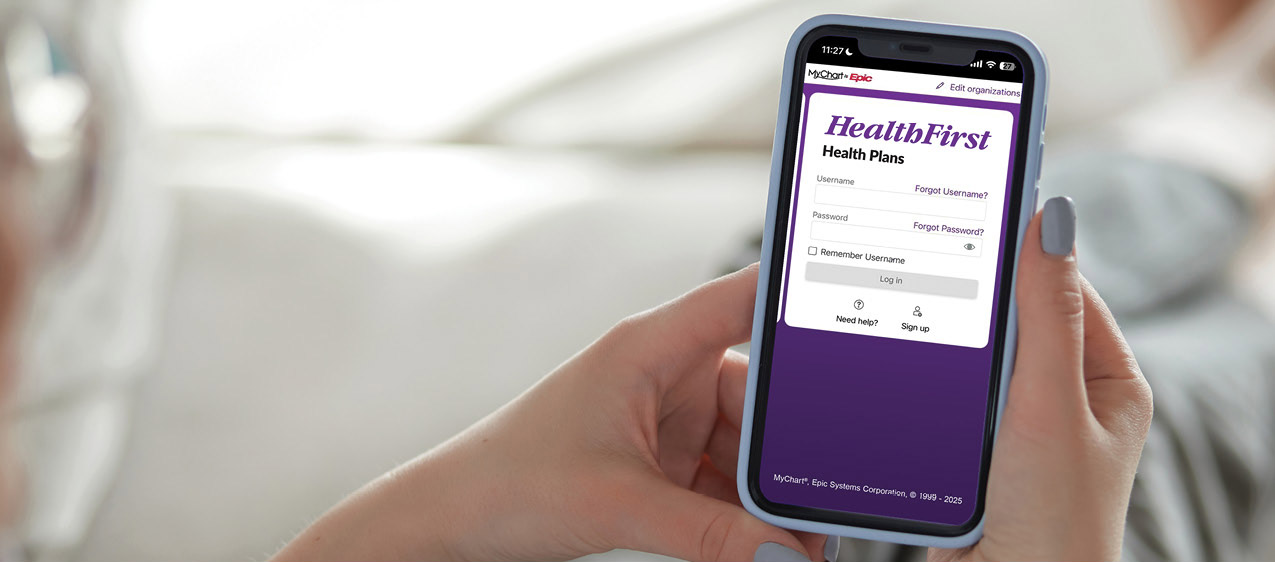
Health First Health Plans MyChart is a secure online member portal and app that lets you easily access and manage your health insurance benefits.

The member portal is different than a patient portal you may have already set up. To download the app, select the corresponding button below and follow the prompts on your mobile device.
|
|
FEATURES | ||
Billing & Payments.
| Documents & Records.
| Costs & Coverage.
Support & Resources.
|
Getting started and managing your account.
Sign-up can be completed through the website or mobile app. If an activation code is provided, follow the instructions included with the code.
On the MyChart website, visitmychart.myhfhp.org:
Select “Sign up.”
- Enter the required personal information, select “next” and follow the prompts.
Download the MyChart mobile app by searching "MyChart" in the Apple App Store (iOS) or Google Play Store (Android).
- Select “Add organization.”
- Search for “Health First Health Plans.”
- Tap the result and select "Add selected organizations."
- Select "Sign up."
- Enter the required personal information, select "next," and follow the prompts.
Additional features for iOS devices:
MyChart can also be paired with Apple Watch™ to:
- Receive alerts for new information.
- Read secure messages.
Linking other participating medical offices within MyChart lets you switch between health insurance and clinical information without logging in again. This process only has to be completed once.
How to link your accounts:
- Log in to your account.
- Select the menu icon (three lines).
- Under "Sharing," select "Link My Accounts."
- Enter the organization name, city, or state.
- Select the correct organization from the list.
- Select "Link Account" to complete the process.
You can view accounts that have already been linked within your MyChart portal. These will only appear after the linking process has been completed.
- Log in to your account.
- Scroll down to "Switch organizations."
- Select the organization of your choice to access that specific account and log in.
No, they are not the same. Even if you have a MyChart patient portal account, you still need to create a MyChart member account. A patient account will include provider and medical visit information, while the member account will include health insurance plan information.
Health Plans is an HMO plan with a Medicare contract. Enrollment in Health First Health Plans depends on contract renewal. Health First Commercial Plans, Inc. is doing business under the name of Health First Health Plans. Health First Health Plans does not discriminate on the basis of race, color, national origin, disability, age, sex, gender identity, sexual orientation, or health status in the administration of the plan, including enrollment and benefit determinations.
Last updated: 05/01/2026